
Guest WiFi Security: How to Offer Public WiFi Without Exposing Your Business Network
Here's a scenario that plays out in small businesses every week. The owner sets up WiFi, customers ask for the password, and staff hand it out. Months later,…
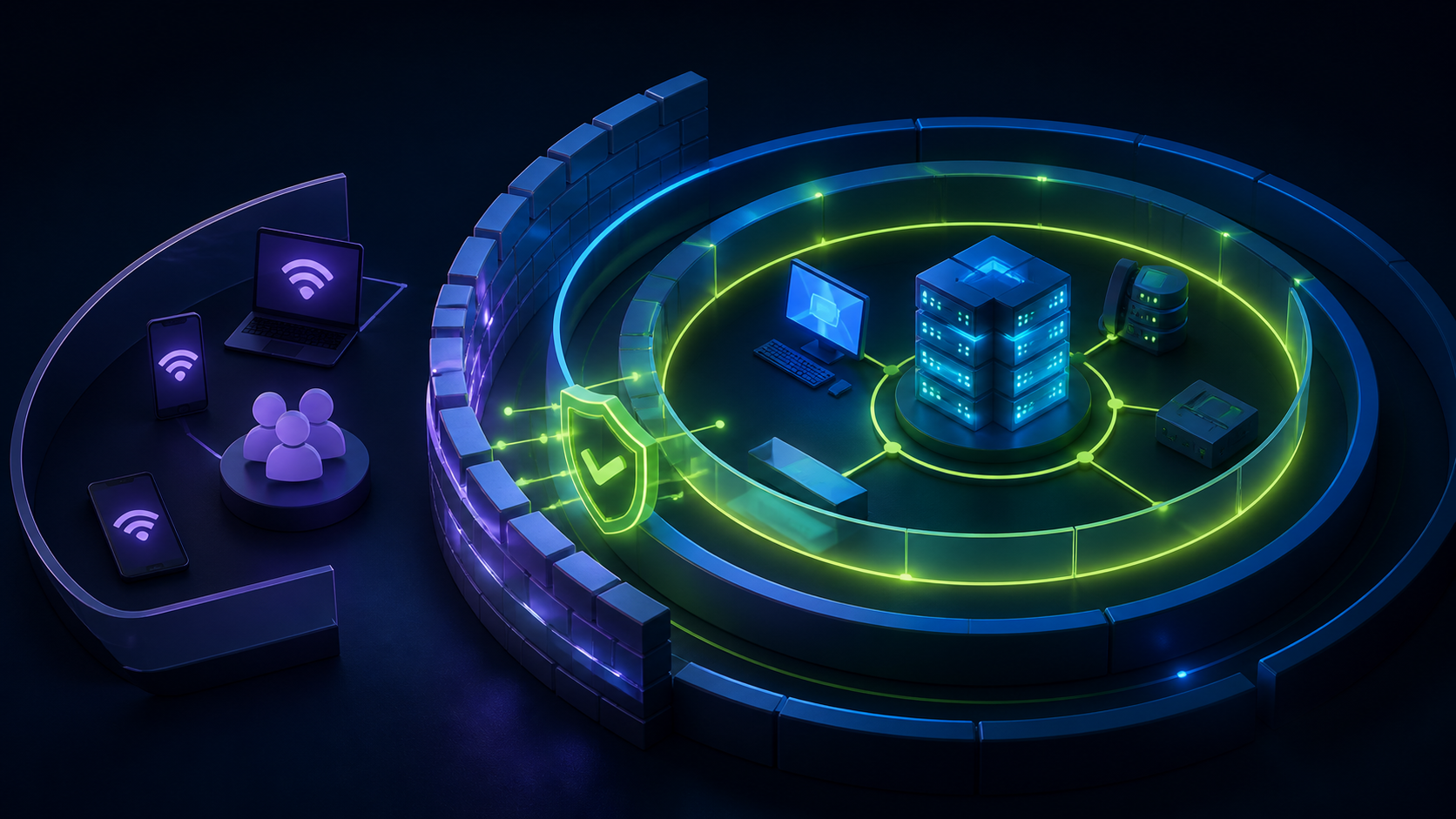
Here's a scenario that plays out in small businesses every week. The owner sets up WiFi, customers ask for the password, and staff hand it out. Months later, that same password is protecting the network that runs the point-of-sale system, the security cameras, the back-office PC with the accounting files — and it's written on a chalkboard next to the register.
Offering guest WiFi is good business. Offering guests a path into your business systems is a breach waiting for a timestamp. The good news: with a properly configured UniFi network and a modern captive portal, guest WiFi security is a solved problem. This guide covers the real risks and the layered fix.
What Can Actually Go Wrong With Unsecured Guest WiFi
Lateral movement to business systems. When guests share a flat network with your operations, any connected device can probe for others. Your POS terminals, network cameras, printers, and file shares become discoverable — and a single compromised guest device (or a malicious guest) can reach them. Card-handling businesses should note that PCI DSS expects cardholder systems to be segmented from untrusted networks; a shared password network fails that expectation on day one.
Bandwidth exhaustion. One guest streaming 4K video or downloading a game update can starve your card processing and cloud apps. Slow checkout is a security-adjacent problem: it pressures staff into workarounds.
Legal exposure from anonymous use. When anyone can connect with a chalkboard password, everything done on that connection traces back to your IP address. Illegal downloads, abusive traffic, spam — with no terms of use and no record of who connected, you have no story to tell.
Password sprawl. Shared passwords never rotate in practice, spread to neighboring businesses and past employees, and defeat the purpose of having a password at all.
Data-handling liability. If you are collecting guest information (as you should — it's valuable), doing it without disclosure, encryption, or retention policy creates the opposite risk: a privacy problem instead of an intrusion problem.
Layer 1: Network Segmentation — the Non-Negotiable Foundation
Everything starts with separating guest traffic from business traffic. On a UniFi network this is done with VLANs: a dedicated guest network that can reach the internet and nothing else.
The proven pattern is deny-by-default: guests get DHCP, DNS, and outbound internet, and are explicitly blocked from every internal subnet. Client isolation prevents guest devices from even seeing each other. Your POS, cameras, IoT devices, and staff machines each live on their own segments with only the specific inter-VLAN allowances they need. The quick test: if a phone on your guest WiFi can discover your printer, your cast-enabled TV, or anything with your company's name on it, your isolation is broken.
UniFi gateways handle all of this natively, but the rules have to be designed and validated — too strict breaks workflows, too loose loses the security benefit. If you're not confident your firewall rules do what you think they do, this is exactly the kind of engagement The UniFi Nerds perform nationwide, from single storefronts to multi-branch environments.
Layer 2: A Captive Portal — the Accountability and Policy Layer
Segmentation keeps guests out of your systems. A captive portal governs what happens on the guest network itself, and this is where NerdPortal earns its place in the security stack.
Terms of service acceptance, enforced and recorded. Every guest must accept your acceptable-use terms before NerdPortal authorizes their device on the UniFi network. That single checkbox transforms your legal position: users are on notice, prohibited uses are documented, and acceptance is logged. No more anonymous, ungoverned access.
Identified access instead of a shared secret. Guests connect through the portal with an email or phone number rather than a communal password that lives forever on a chalkboard. There's nothing to rotate, nothing to leak, and each connection is associated with a real submission and timestamp.
Session controls. Set how long a guest session lasts before re-authorization. A cafe might allow two hours; a hotel, the length of a stay; an office lobby, thirty minutes. Stale devices don't linger on your network for months.
Bandwidth limits per guest. Cap guest speeds so no single device can degrade the network. Guests still get a perfectly good experience — they just can't consume everything.
Secure data handling by default. Everything guests submit is protected with AES-256-GCM encryption of stored controller credentials, handled in a privacy-conscious manner, and governed by automatic retention policies that purge old records on your schedule. Collecting contacts stops being a liability and becomes a properly governed asset.
Because NerdPortal integrates directly with UniFi controllers (no extra hardware), all of this rides on your existing hardware. No appliances to add, no firmware to modify.
Layer 3: Operational Hygiene
A few practices round out the picture:
- Name networks clearly. "YourBusiness-Guest" and an internal SSID that isn't broadcast confusion. Guests should never be tempted onto the wrong network because the right one wasn't obvious.
- Keep UniFi firmware and the Network application updated. Ubiquiti ships security fixes regularly; unpatched controllers are the soft underbelly of otherwise good deployments.
- Review who has admin access. Departed employees and old integrator accounts should be removed from the controller.
- Watch the analytics. NerdPortal's real-time dashboard makes anomalies visible — a spike of connections at 3 a.m. is worth a look.
- Revisit the design as you grow. A second location, a new POS, a camera upgrade — each change deserves a quick check that segmentation still holds.
Security and Marketing Are the Same Project
Here's the part most businesses miss: the secure architecture and the profitable one are identical. The same portal that enforces terms and eliminates shared passwords also captures marketing contacts. The same VLAN that protects your POS also guarantees guests can't degrade it. The same session controls that clear stale devices also generate the visit analytics that tell you when your busy hours are.
You don't have to choose between safe guest WiFi and useful guest WiFi. Built correctly on UniFi with NerdPortal on top, they're one system.
Frequently Asked Questions
Is a captive portal alone enough to secure guest WiFi? No — the portal governs access and policy, but VLAN segmentation is what protects your internal systems. You need both layers.
Does NerdPortal require new security hardware? No. It connects to your existing UniFi controller and works with your current access points and gateway.
What about guest data privacy? NerdPortal encrypts submitted data, supports transparent collection with terms acceptance with clear terms, and applies automatic retention policies so you never hold data longer than intended.
How often should the security setup be reviewed? Twice a year is a sensible cadence for a stable single site, plus a check after any meaningful change — new POS, new cameras, a controller migration, an added tenant. The review is quick when the architecture is clean: verify isolation still holds, confirm firmware is current, and prune stale admin accounts. Multi-site operators should fold it into their standard site-audit rotation so no location drifts.
Lock It Down and Cash It In
If your guest WiFi today is a shared password on a flat network, you're carrying risk with zero return. Start a free 14-day NerdPortal trial to fix the policy layer — and if the network underneath needs proper segmentation first, The UniFi Nerds can design and deploy it anywhere in the country.
NerdPortal is built by The UniFi Nerds, the nation's leading UniFi installation and managed services company.